Free Emoji Maker Online (Browser, No Signup Required)
Make a custom emoji in your browser without an account: what's free on Emoj.si, what the watermark means, and how to size the PNG for Discord, Slack, and Teams.
If you want to make a custom emoji without installing anything or creating an account, a browser emoji maker is the fastest route. On Emoj.si you can open the page, drag library parts onto a canvas, and download a transparent PNG as a guest. The honest catch: free and guest exports come out at 512 or 1024 px with a watermark. Watermark-free and 2048 px exports are a paid feature.
I'd rather say that up front than have you find out after ten minutes of fiddling with eyebrows. For a lot of uses (a joke in a group chat, testing an idea, a mockup) the free export is fine. For a clean emoji in a company Slack, you'll either live with the watermark or pay.
Here's how the free path actually works, what you can do without signing up, and how to get the result into Discord, Slack, Teams, Telegram, and the rest.
What "free, no signup" really gets you
Going by the site's own FAQ and pricing page:
- No account needed to start. Guests can build and export.
- All library parts and backgrounds are free. Faces, eyes, mouths, hands, props, backgrounds. Nothing in the library is locked behind a plan.
- Your own images are free too. Anyone can add PNG, JPG, or WebP files up to 2 MB as separate layers, then move, resize, rotate, paint on, or erase them.
- Drawing tools are free. Pencil, Pen, Calligraphy, and Chalk brushes, with preset or custom colors.
- Exports: transparent PNG at 512 or 1024 px, watermarked, for guests and free accounts.
- Drafts stay in your browser tab through refreshes, but there's no cloud save unless you're a member. Downloaded PNGs don't keep editable layers, so finish your edits before you close the tab.
What you pay for: watermark-free exports up to 2048 px, AI background removal (with a monthly quota), and editable cloud designs. Pro is listed at $9.90/month; there's also a one-time Lifetime plan. Check the pricing page for current numbers rather than trusting a blog post.
So if a site anywhere promises "unlimited HD, no watermark, no signup, free forever," read the small print. That's not what Emoj.si offers, and I'd be suspicious of anyone who says it is.
Making one in about five minutes
This is roughly what I do when someone in a group chat needs a reaction face "right now."
1. Start from a base face
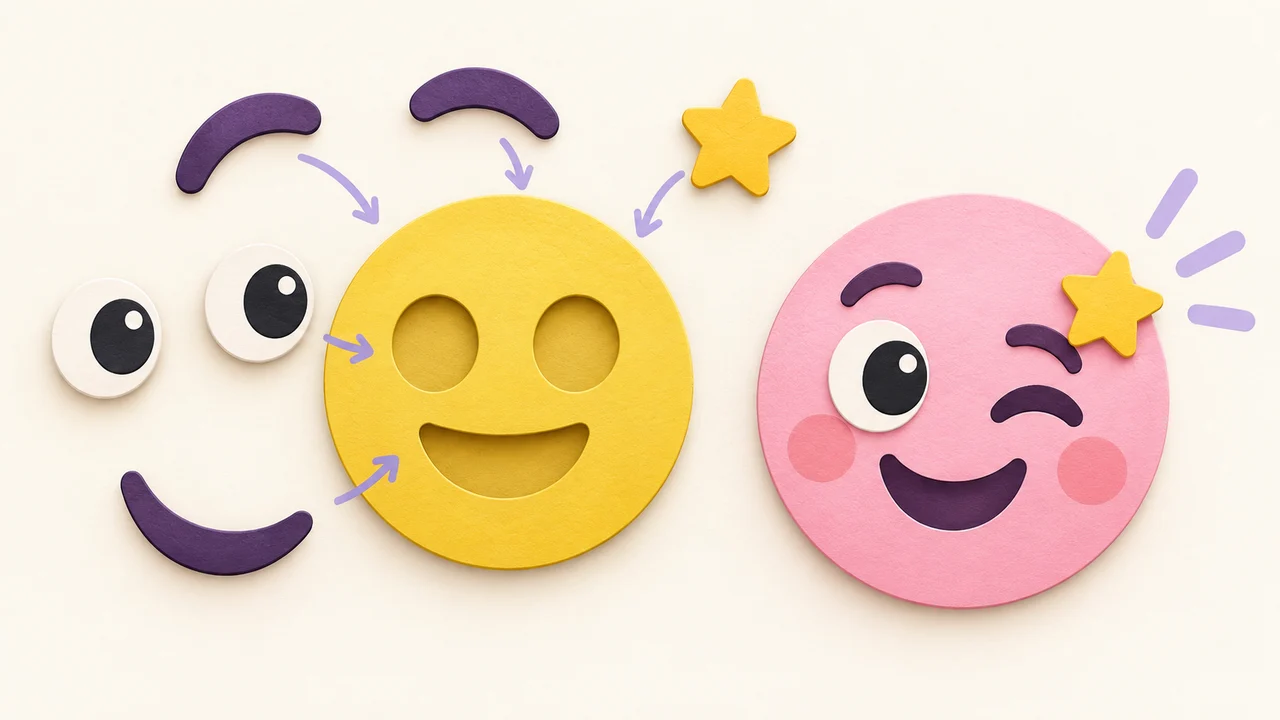
Click a part in the inspiration area to drop it on the canvas, or start empty. A plain round face is the easiest base because everything else stacks on top of it.
2. Swap the features
Add eyes, a mouth, maybe a hand or a prop. Each one is its own layer. Drag the bottom-right handle to resize, the top handle to rotate, and reorder layers when a hand needs to sit in front of the face.
A tip that saves a lot of redoing: exaggerate. Eyes a bit bigger than feels natural, mouth a bit wider. Emoji end up tiny in chat, and subtle expressions just vanish.
3. Add text or your own image (optional)
You can drop in a photo or logo up to 2 MB, or type a word. Keep text to one short word at most. At 32 px, "LGTM" is borderline and "looks good to me" is noise.
If you're starting from a photo, the free tier lets you erase the background by hand with the eraser. The one-click AI background removal is a member feature. There's a longer walkthrough in photo to emoji.
4. Keep the background transparent and download
Leave the canvas background transparent, pick 512 or 1024, and download the PNG. Transparent matters: otherwise you get a white box around your emoji on dark mode.
5. Shrink it for where it's going
Export big, then downscale for each platform. Starting large and shrinking looks much better than stretching a small file up.
Sizes for the usual places
| Where it's going | What to aim for | More detail |
|---|---|---|
| Discord | Square, up to 128×128, under 256 KB | Discord emoji size |
| Slack | Small square image, keep it simple | Add emoji to Slack |
| Microsoft Teams | Square JPEG/PNG/GIF under 256K | Teams custom emoji |
| Twitch | A set at 112, 56, and 28 px | Twitch emote sizes |
| Telegram custom emoji | 100×100 | Telegram emoji vs sticker |
| WhatsApp sticker | 512×512 WebP, under 100 KB | WhatsApp sticker size |
Each of those posts goes through the platform's own help docs, so if your upload gets rejected, start there.
Is the watermark a dealbreaker?
Depends what you're doing.
- Fine for: testing an idea, a quick laugh with friends, sketching a reaction set before you commit, showing a designer what you want.
- Annoying for: a work Slack or Teams where the emoji will be seen a thousand times, a Discord server you care about, a Twitch emote set (you'll want clean files at three sizes).
My rough rule: make the first few for free until you know which faces your group actually uses. If two or three of them stick, that's the point where paying for clean exports makes sense. If they don't, you've lost nothing.
Other free routes worth knowing
You don't have to use Emoj.si, and depending on the job something else may fit better:
- Emoji Kitchen–style mashups if you just want two existing emoji combined. See Emoji Kitchen online.
- Discord's Emoji Studio, which is rolling out on desktop and browser, lets you crop and resize an image while uploading. It doesn't build a face from parts, but it's handy if you already have the art.
- A general image editor (Photopea, GIMP, Krita) if you're comfortable drawing from scratch. More control, more time.
- If you're on iPhone and don't have Apple Intelligence, there's a comparison in Genmoji alternative.
FAQ
Is Emoj.si really free?
The editor, library parts, uploads, and drawing tools are free for everyone. Free and guest exports are 512 or 1024 px with a watermark. Watermark-free 2048 px exports, AI background removal, and cloud saves need a paid plan.
Do I need to sign up?
No. Guests can build and export. An account matters when you want to buy a plan or use member features like cloud designs.
Can I export a transparent PNG for free?
Yes, as long as you keep the canvas background transparent. It'll carry the watermark on the free tier.
Can I make animated emoji?
Emoj.si exports static PNG. For animation, build the still there and animate it in another tool. The animated Discord emoji guide covers keeping a GIF under 256 KB.
Can I use the emoji commercially?
The library parts are free to use inside the editor; for anything commercial, read the site's terms first. And only upload images you have permission to use.
Try it
Open emoj.si, stick a face together, and download it. If it gets a laugh in the group chat, you've got your answer on whether it was worth five minutes.
Sources: