Memoji Alternative Online: Make a Custom Face Emoji in Your Browser
No iPhone, or need a real PNG for Discord or Slack? How Memoji works, where it falls short, and how to build a face emoji in your browser instead.
Short answer: if you want a Memoji-style face but you're not on an iPhone, iPad, or Mac (or you just want a file you can drop into Discord or Slack), a browser emoji maker is the closest substitute. On Emoj.si you can build a face from parts, add your own photo or doodles, and download a transparent PNG without installing anything. It won't animate with your face the way Memoji does, and free exports carry a watermark, so it's a different tool for a slightly different job.
I'll be fair to Memoji here, because it's genuinely good at what it does. The problem is that what it does is tied pretty tightly to Apple's apps.
What Memoji actually is (and where it lives)
Memoji is Apple's avatar feature. According to Apple Support, you create one inside Messages: tap the Plus button, swipe up, tap Memoji, then New Memoji, and customize skin tone, hairstyle, eyes, and so on. Once you've made one, Apple automatically turns it into sticker packs that live in your keyboard, and you can use them in Messages, Mail, and some third-party apps.
There's also the animated version, the one that copies your facial expressions and records your voice. Apple's page is clear that this needs a "compatible iPhone or iPad Pro." In practice that means a device with the front camera hardware that tracks your face. You can record up to 30 seconds in Messages, or wear your Memoji during a FaceTime call.
Mac users can make Memoji too (Apple's Mac User Guide has a "Create Memoji" section), and your Memoji sync across your Apple devices if you have two-factor authentication on, the same Apple Account everywhere, and iCloud Drive turned on.
So, Memoji is great if:
- everyone you talk to is in iMessage or FaceTime,
- you want the animated, voice-recording version,
- you're happy with Apple's art style.
Where people hit a wall
The questions I keep seeing are pretty much always one of these:
"I'm on Android / Windows. Can I make a Memoji?" Not officially. There's no Apple web version of the Memoji editor. You'll find third-party sites promising "Memoji online," but they're not Apple, and I'd be careful about anything asking for your Apple ID.
"I made a Memoji, now how do I get it into Discord as a server emoji?" This is the annoying one. Memoji stickers are designed to be sent as stickers, not exported as a clean square file for a server's emoji slots. People end up screenshotting a sticker, cropping it, and fighting with a white background. It works, kind of, but the result is usually fuzzy.
"I want it to look like me, but not in that 3D Apple style." Memoji has one look. If you want flat, sticker-ish, or deliberately goofy, it's the wrong tool.
"I want a face for my team, not for me." A reaction emoji for a work Slack ("ship it", "on it", "waiting on legal") is a different thing from a personal avatar. You want something readable at 32 pixels, not a detailed portrait.
The browser route: making a face emoji on Emoj.si
Here's roughly how I make a "me, but as an emoji" face in the browser. Takes about five minutes the first time, two after that.
1. Start with a base face
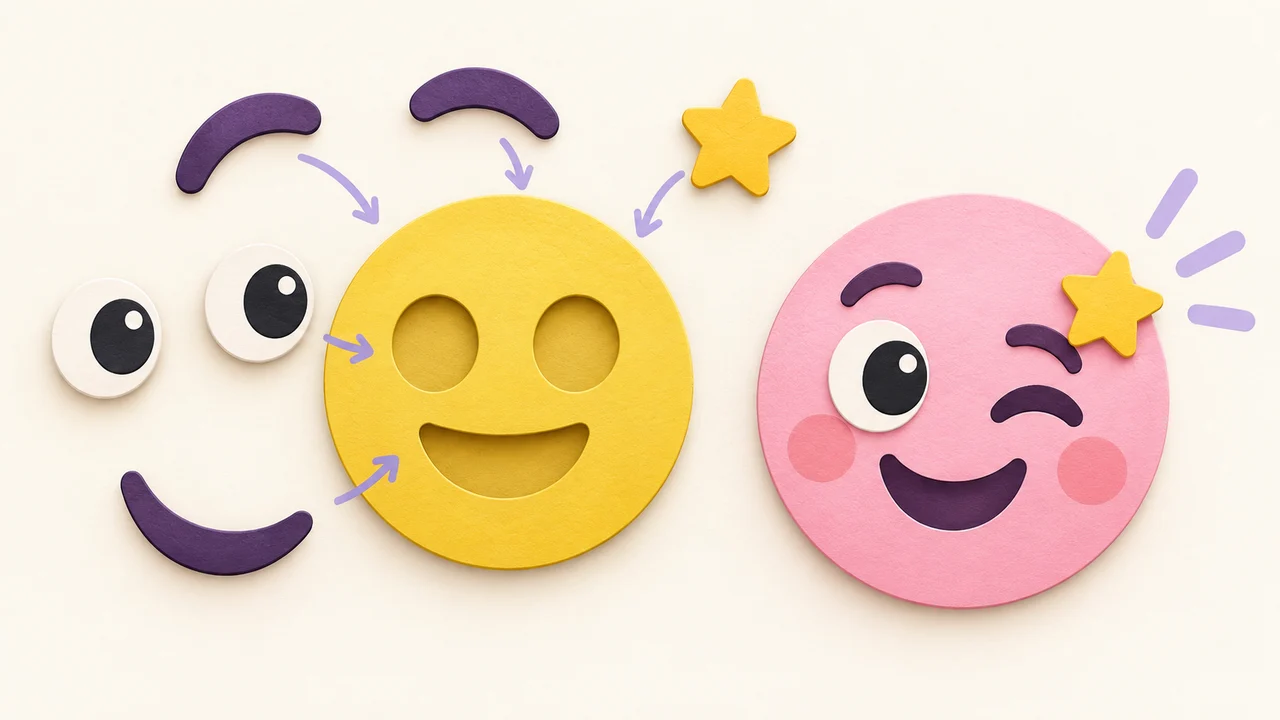
Open emoj.si and drop a plain face onto the canvas from the parts library. A round face is the easiest base because everything else stacks on top.
2. Pick features that read as "you"
This is where it differs from Memoji. Memoji asks you to describe yourself feature by feature (nose shape, eyebrow thickness). An emoji at chat size can't show any of that. What reads at 32 px is one or two signature things: big glasses, a beard, a beanie, a specific hairstyle color, a gap-tooth grin.
So I pick eyes and a mouth from the library, then add the one or two things my friends would recognize. Each part is its own layer: drag the corner handle to resize, the top handle to rotate, and reorder layers if a hand needs to sit in front of the face.
3. Add your own image or a doodle (optional)
You can upload your own PNG, JPG, or WebP (up to 2 MB) as a layer. Some people put a cropped photo of their actual face on the base, which ends up somewhere between a Memoji and a meme. There are also free drawing brushes (Pencil, Pen, Calligraphy, Chalk) if you want to draw on your own hair or a mustache.
If you're starting from a photo, background removal matters. On the free tier you can erase it by hand with the eraser; the one-click AI background removal is a paid feature with a monthly quota. The photo to emoji guide goes through this in more detail.
4. Keep the background transparent and download
Leave the canvas transparent and export a PNG. Transparency is the thing that makes it look like a real emoji instead of a sticker with a white box around it in dark mode.
5. Make a few expressions, not just one
Here's a trick that makes the whole thing feel more Memoji-like: once you have your face, duplicate it and only swap the eyes and mouth. Laughing, side-eye, crying, thumbs up. Four PNGs and you've got a personal reaction set. The reaction set design post has more on keeping a set consistent.
The honest catch
To be upfront about what Emoj.si gives you for free:
- All the library parts and backgrounds are free to use, and you don't need an account to start.
- Guests and free accounts export PNGs at 512 or 1024 px with a watermark.
- Paid plans remove the watermark, add 2048 px exports, and include AI background removal with a monthly quota. Check the pricing page for current details.
- Exports are static PNG. No animation, no voice, no face tracking.
So if what you loved about Memoji was the talking head that copies your expressions, Emoj.si won't replace that. Nothing in a browser really does it the same way. Where it's a better fit is when you need an actual image file: a server emoji, a Slack reaction, a profile picture you can use anywhere.
Memoji vs. a browser emoji maker
| Memoji | Emoj.si | |
|---|---|---|
| Where it works | Apple devices (iPhone, iPad, Mac) | Any modern browser |
| Account | Apple Account (iCloud for sync) | Not needed to start |
| Animated / voice | Yes, on compatible iPhone and iPad Pro | No, static PNG only |
| Art style | Apple's 3D avatar style | Flat parts, plus your own images and drawings |
| Getting a file for Discord/Slack | Workarounds (screenshots, cropping) | Direct transparent PNG download |
| Cost | Free on Apple devices | Free with watermark; paid for clean 2048 px |
If you're on iPhone and want something more generative, I also wrote about Genmoji and its alternatives. Genmoji is a separate Apple Intelligence feature with different device requirements.
Sizing the result for where it's going
Export at 1024, then shrink a copy for each platform. Shrinking looks better than stretching.
- Discord: square, 128×128, under 256 KB. See Discord emoji size requirements.
- Slack: a small square works best. See how to add custom emoji to Slack.
- WhatsApp stickers: 512×512 WebP. See WhatsApp sticker size.
FAQ
Is there an official Memoji app for Android or the web?
No. Memoji is built into Apple's Messages and related apps. If a website calls itself "Memoji online," it isn't made by Apple.
Can I export my Memoji as a PNG?
Not with a dedicated export button. Memoji are designed to be sent as stickers in Messages and supported apps. People usually save or screenshot a sticker, which tends to give a lower-quality result for things like Discord server emoji.
Do I need a special iPhone for Memoji?
You can create Memoji stickers on supported devices, but the animated Memoji that mirrors your face and voice needs a compatible iPhone or iPad Pro, according to Apple. Apple also notes Memoji stickers aren't supported on iPad Air 2.
Can Emoj.si make an animated face emoji?
No. It exports static PNG only. If you need motion, build the still in Emoj.si and animate it elsewhere; the animated Discord emoji guide covers keeping a GIF under the size limit.
Is Emoj.si free?
The editor and library parts are free. Free and guest exports are 512 or 1024 px with a watermark. No-watermark exports, 2048 px, and AI background removal are on paid plans.
Try it
If your group chat is half iPhone and half Android, or you just want your face as a Slack reaction, open emoj.si and put one together. Make the "me laughing" version first. It's the one that gets used.
Sources: