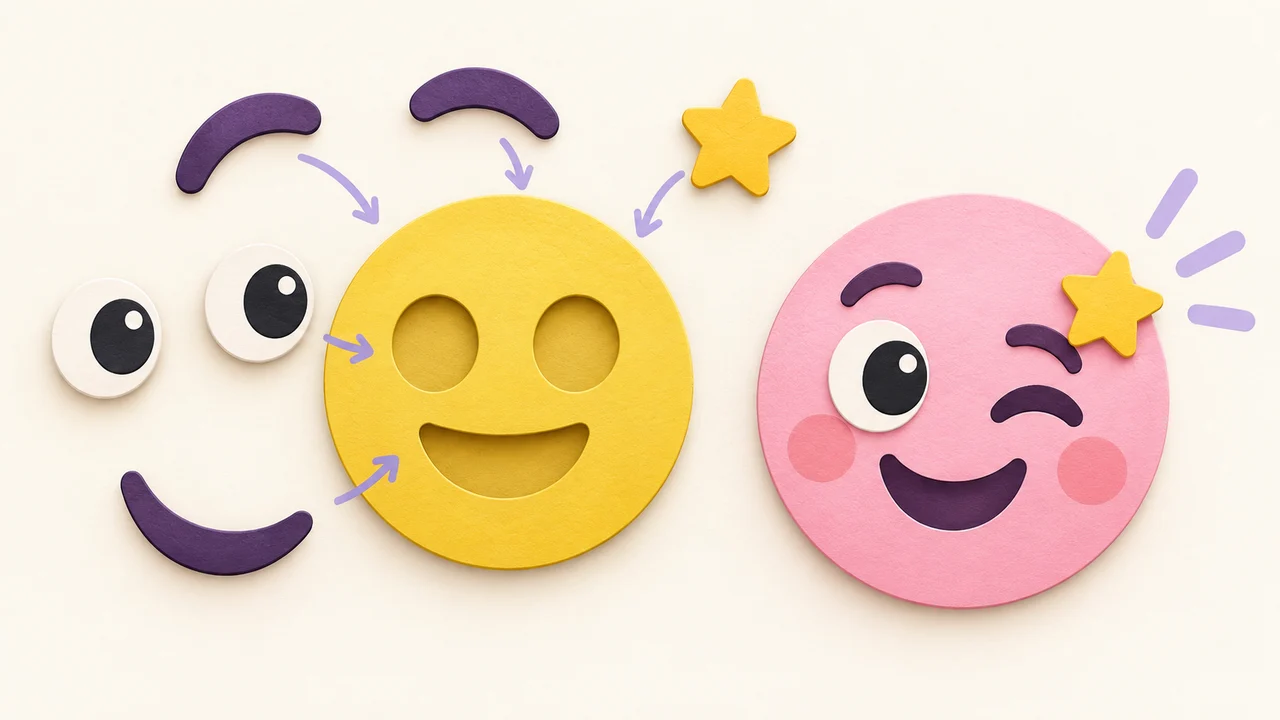
Start with a feeling, not a pile of accessories
A small change to the eyes or mouth can say more than another accessory. A practical way to make your first expression in Emoj.si.
Sometimes the usual reaction emoji misses the point. A smile looks too enthusiastic. A crying face makes it sound worse than it is. What you want is something closer to “sure, but I have feelings about this.”
That is a good reason to make your own. In Emoj.si, the face, eyes, brows, mouth and accessories are separate parts. You can move them around without drawing anything.
Pick the mood first
Start with one of the presets above the editor. Treat it as a starting point: keep the face you like, remove the parts that do not fit, then add others from the parts box.
For now, stick to a face, eyes and a mouth. Half-closed eyes and a flat mouth can look thoroughly tired. A smiling mouth with unhappy brows has a different sort of energy. A slight mismatch is often more expressive than a perfectly cheerful face.
Before changing a part, try moving it. Select it on the canvas, drag it a little lower, or use a corner handle to resize it. A smaller mouth can change the whole expression.
A little asymmetry helps
Raise one brow slightly. Move the mouth off-center. You do not need much: a small adjustment can turn a blank look into suspicion or a suppressed laugh.
For a single-brow asset, add another copy and flip it if needed. Clicking a part again adds a separate layer; it does not replace the one already on the canvas.
If something disappears behind the face, check the layer list on the right. Drag its row upward. Layers near the top appear in front of layers below them. Adding another hat will not fix a hat that is simply behind the head.
Give accessories one job
A crown, sunglasses and a shower of stars are tempting. Together, they can become a jumble when the image is small. Try one accessory first. A crown on a smug face may already be the entire joke.
Use the eye button beside a layer to hide it temporarily and compare. For text, start with a short phrase rather than a sentence. Leave enough room around the eyes and mouth to keep the expression readable.
Check the small version
After downloading, view the image at the size you actually plan to use. Can you still see the eyes? Can you read the words? If not, remove detail before adding more.
Your draft stays in the current browser tab across reloads and language changes. It is not a cloud save, though. Download a PNG before closing the tab.
The first goal is not a complicated design. It is a face that makes you think, “yes, that is exactly what I meant.”